Now on the App Store
Kumquat: Expense Tracker
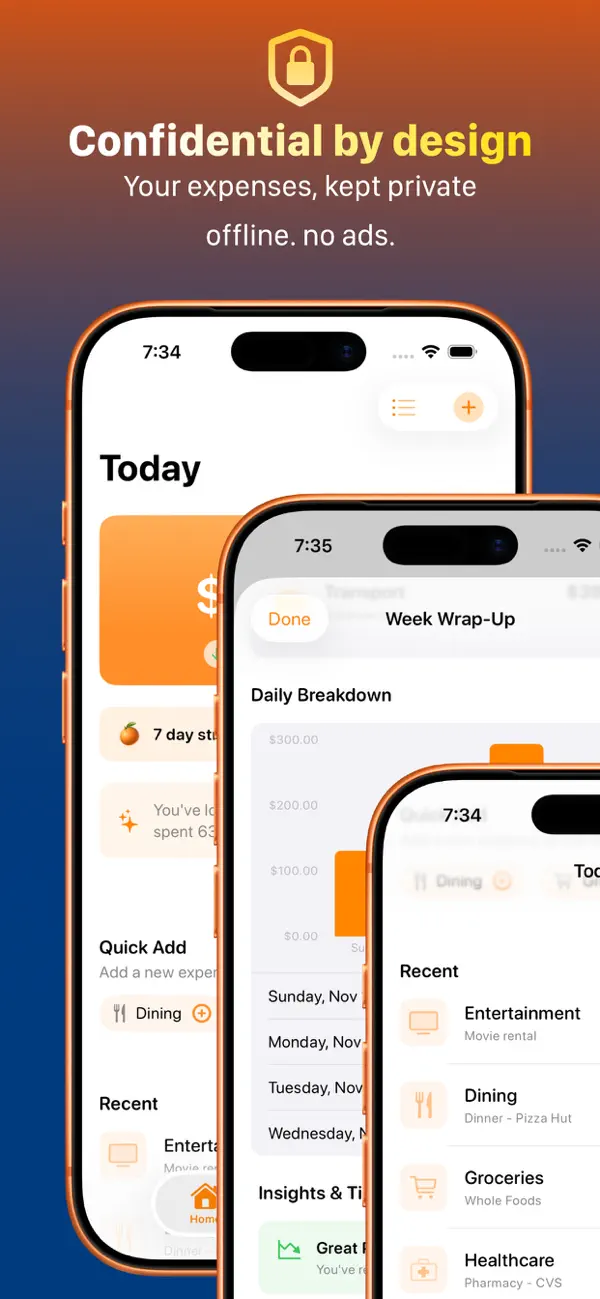
Track expenses in seconds, spot weekly spending patterns, and keep your financial data private on the Apple devices you already use.
Free download. No accounts, no ads, no third-party tracking.
- Current version
- 1.5.4
- Price
- Free
- Category
- Finance
Store highlights
Built for the moments when spending happens.
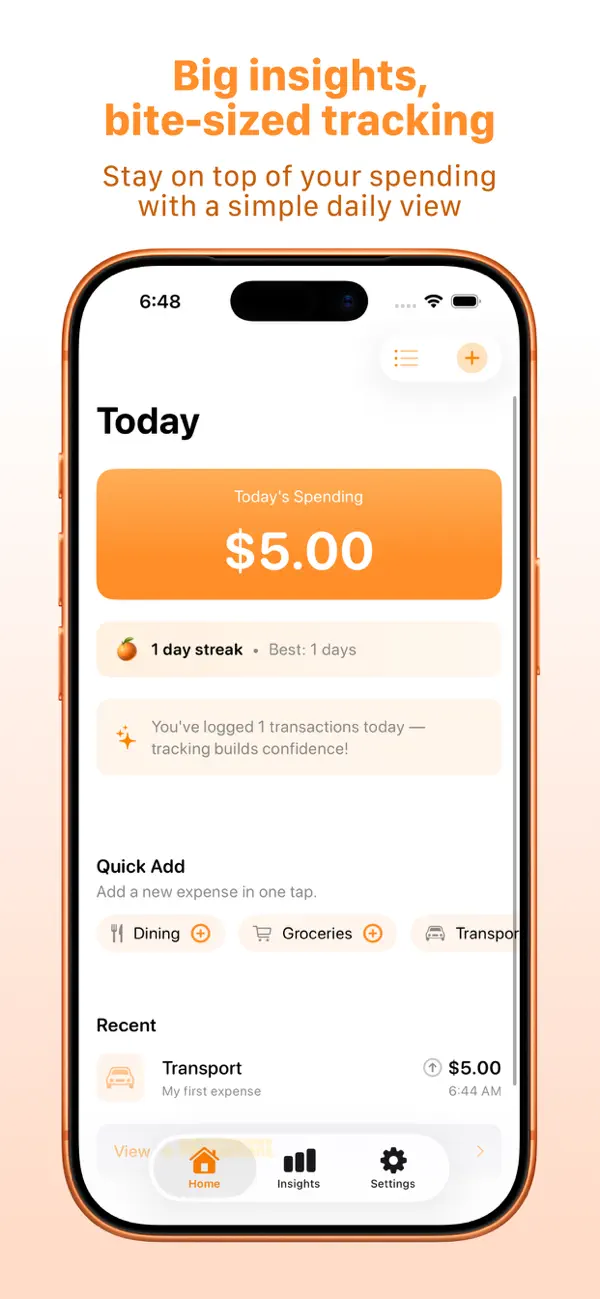
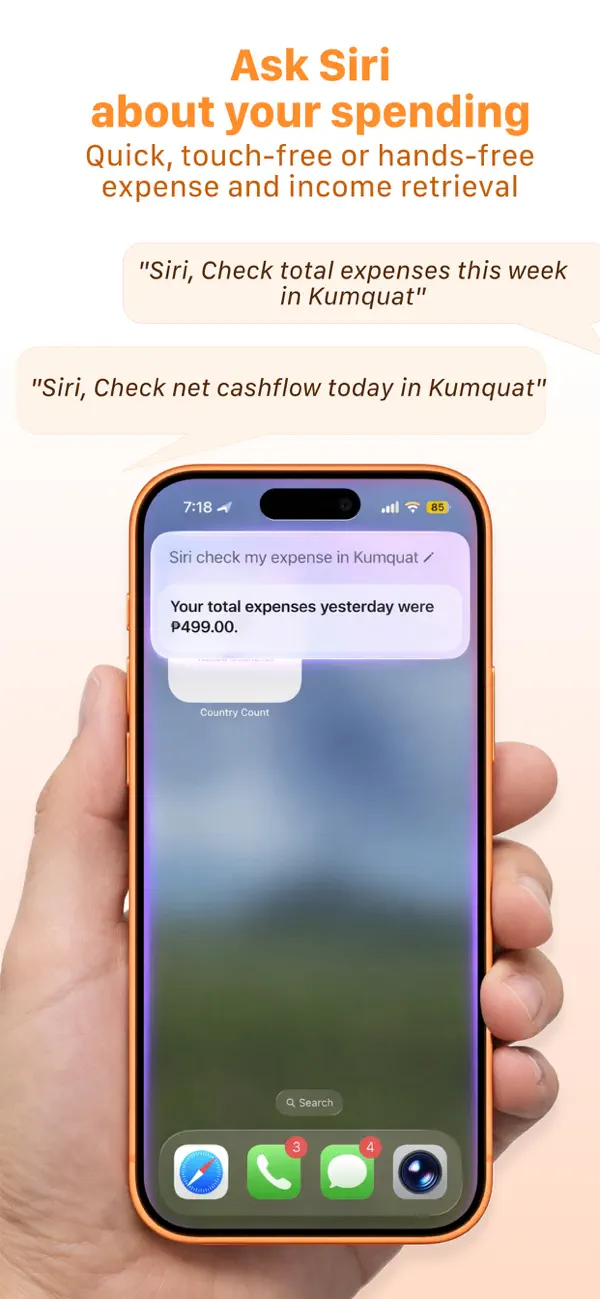
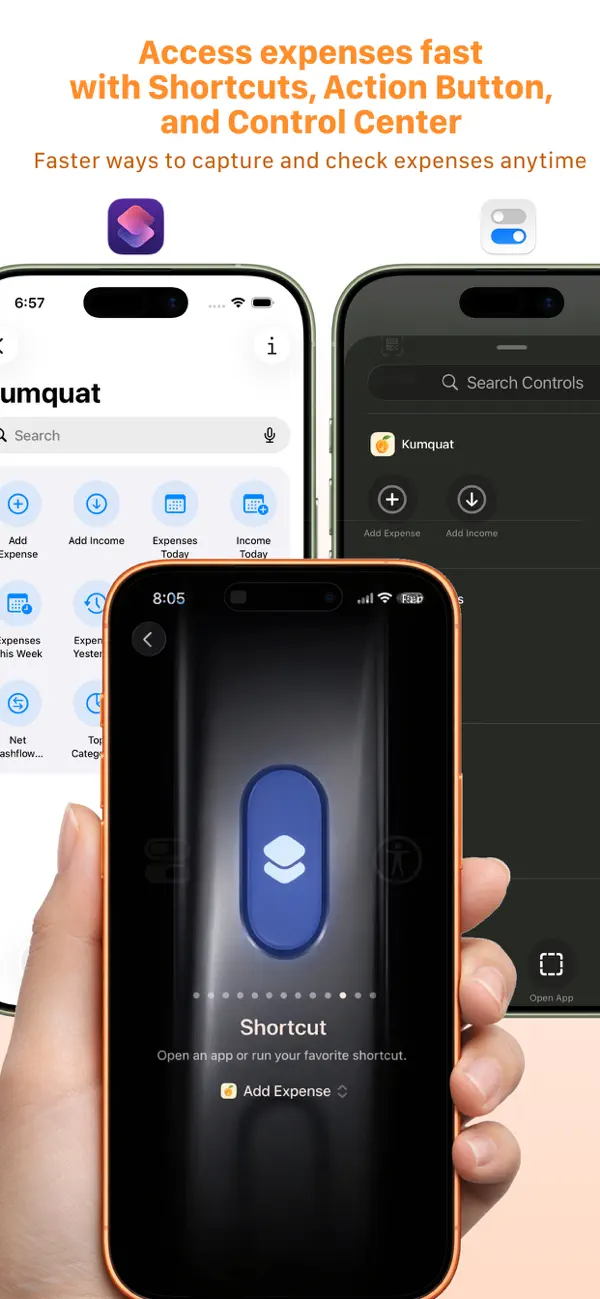
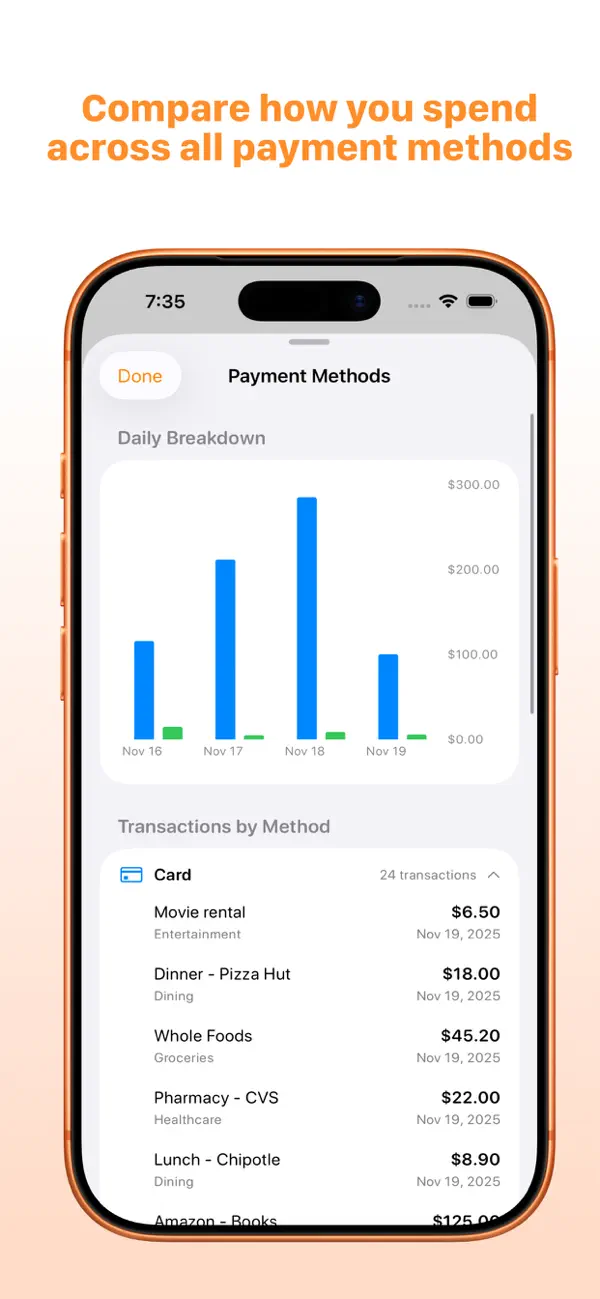
Quick daily entry, Siri answers, Apple system shortcuts, payment-method breakdowns, and private weekly insights all work together.
The solution
Expense tracking that keeps up with real life.
Kumquat keeps the habit light: capture quickly, review clearly, and check totals from familiar Apple system features.
Capture in seconds
Tap a category, enter the amount, and move on. The daily view keeps recent spending and quick add actions close.
Understand the week
Weekly summaries and category breakdowns show what changed without making you sort through spreadsheets.
Use Apple system shortcuts
Siri, Shortcuts, Action Button, and Control Center support make capture and retrieval available outside the app.
Keep financial data private
Your information stays local and syncs through iCloud to your own devices when enabled.
Features
Fast capture, useful insight, private by default.
The core tools for logging spending, checking totals, reviewing trends, and keeping your data under your control.
Quick daily logging
Add expenses in under five seconds with category-first entry, payment methods, and optional notes for context.
Weekly insights
Track spending patterns, week-over-week trends, top categories, and budget comparisons from a simple insights flow.
Week Wrap-Up
Review Saturday summaries with daily breakdowns, highlights, and tips generated for your week.
Siri and Shortcuts
Ask for totals, net cashflow, today's expenses, or category spending through Apple-native automation surfaces.
Payment-method views
Compare cash and card spending with transaction lists grouped by method.
Privacy-first storage
No accounts, no servers, no analytics SDKs, and no ad tracking. iCloud sync is for your own devices.
Apple platforms
Apple-native where Kumquat runs.
Use Kumquat on iPhone, iPad, and Apple silicon Mac, with iCloud keeping your data available across your own devices.
iPhone
Capture spending on the go with daily logging, Siri, Shortcuts, Action Button, and Control Center support.
iPad
Use the same universal app on iPad for larger-screen review and planning.
Mac
Run Kumquat on Apple silicon Macs with macOS 14.6 or later.
- Compatibility
- iOS/iPadOS 17.6+ and macOS 14.6+ on Apple silicon
- Languages
- English
- Age rating
- 12+
Local-first with iCloud sync
Data is stored on device with Core Data. If iCloud is enabled, CloudKit syncs it to your own Apple devices.
Privacy
Data Not Collected.
The App Store privacy label says Kumquat does not collect data. The privacy policy keeps the same promise: no external analytics, ads, or third-party tracking.
No account required
Start tracking without an email address, password, or hosted Kumquat account.
No third-party tracking
The policy states there are no analytics SDKs, ad networks, or external crash-reporting services transmitting data.
Local storage
Transactions, notes, budgets, settings, and habit data are stored locally on your device.
Private iCloud sync
When enabled, iCloud sync uses CloudKit for your own Apple devices. Kumquat does not run a server for your financial data.
Who it's for
Made for everyday financial awareness.
Daily loggers
People who want spending capture to take less time than the purchase itself.
Conscious spenders
People who want clear patterns and gentle accountability without restrictive budgeting culture.
Apple power users
People who use Siri, Shortcuts, Action Button, Control Center, iCloud, and native Apple platform flows.
Privacy-first users
People who want finance data kept on their devices rather than in another web account.
FAQ
Frequently asked questions
Is Kumquat free?
Kumquat is free to download on the App Store. This page does not list a Premium price because the public App Store listing does not show one.
Which devices does Kumquat support?
The App Store listing supports iPhone and iPad on iOS/iPadOS 17.6 or later, plus Mac on Apple silicon with macOS 14.6 or later.
Does Kumquat collect my data?
The App Store privacy label says Data Not Collected. The privacy policy says your financial data stays local and only syncs through your own iCloud account if enabled.
Can I use Siri or Shortcuts?
Yes. Kumquat supports Siri queries, Shortcuts, Action Button, and Control Center access for checking and capturing expenses.
Does Kumquat require an account?
No. Kumquat works without sign-up, email, or a separate hosted account.
What is the current public version?
The current App Store version is 1.5.4, released July 2, 2026.
Track today. Understand the week.
Download Kumquat on the App Store and build a clearer spending habit without accounts, ads, or tracking.